
Read EPUBs and web novels your way.
Unscrawled keeps your books in one tidy library, remembers where you stopped and lets you set up every page: typeface, color, spacing and layout. For iPhone and iPad.
- typefaces
- 6
- reading themes
- 5
- ads
- 0
- trackers
- 0
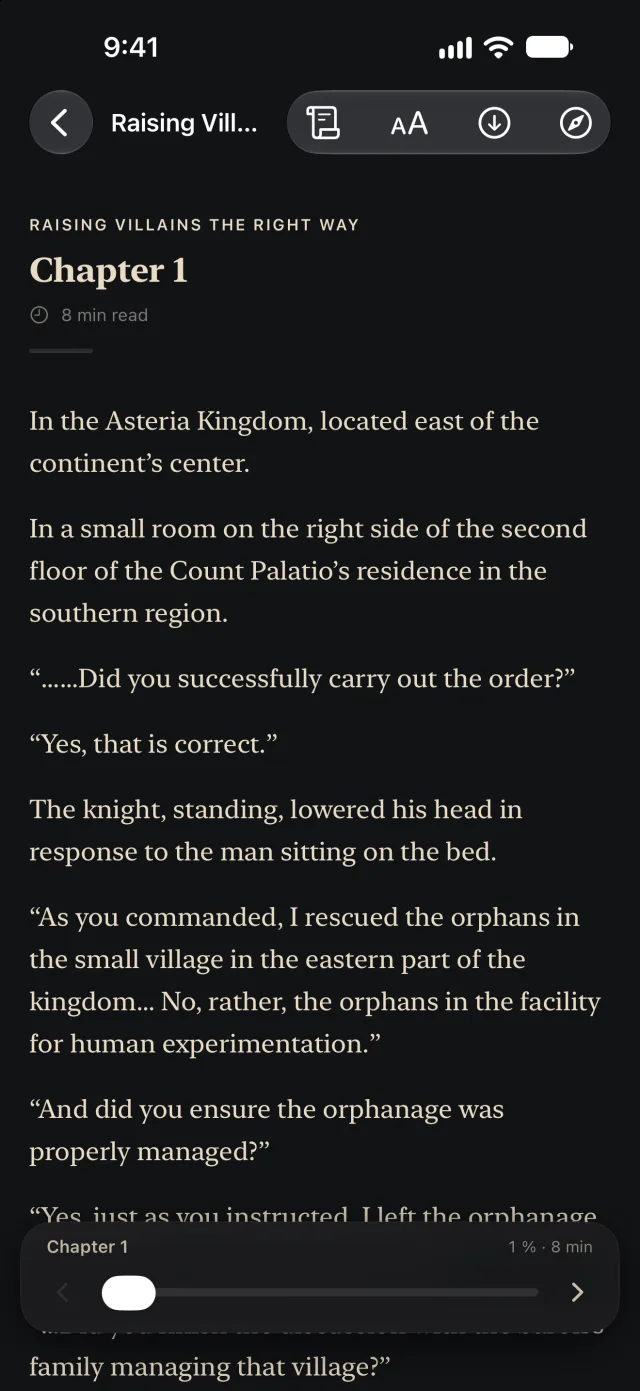
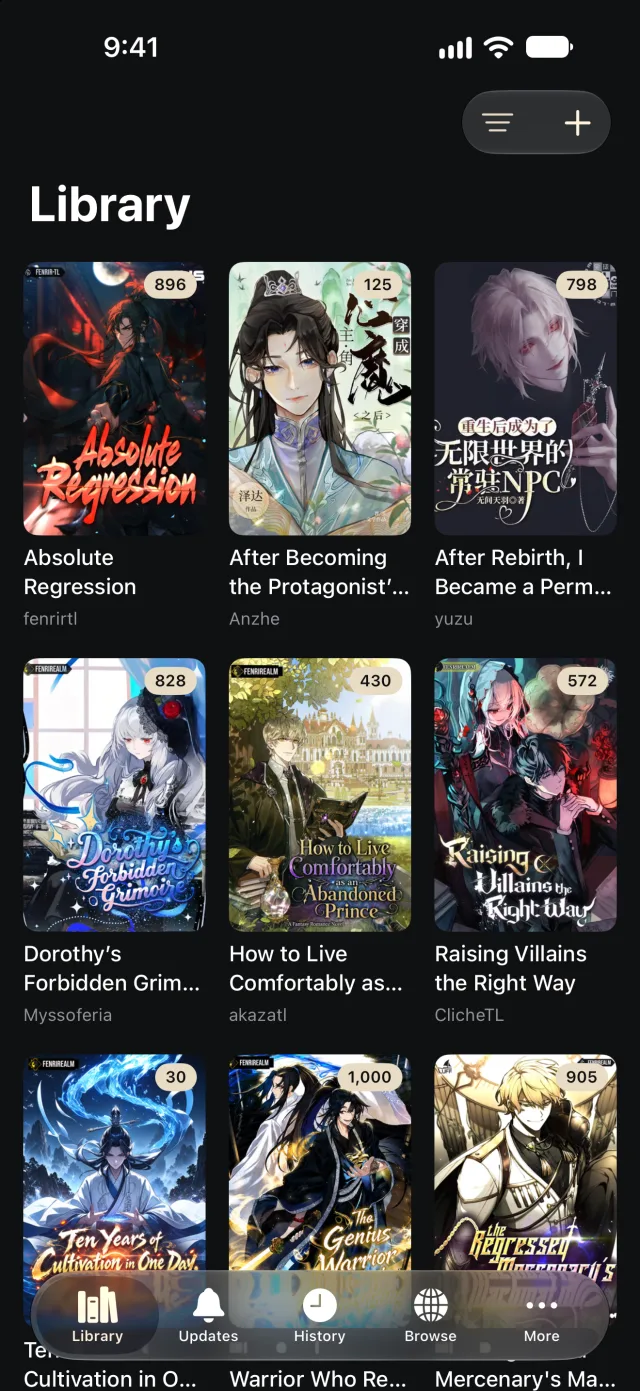
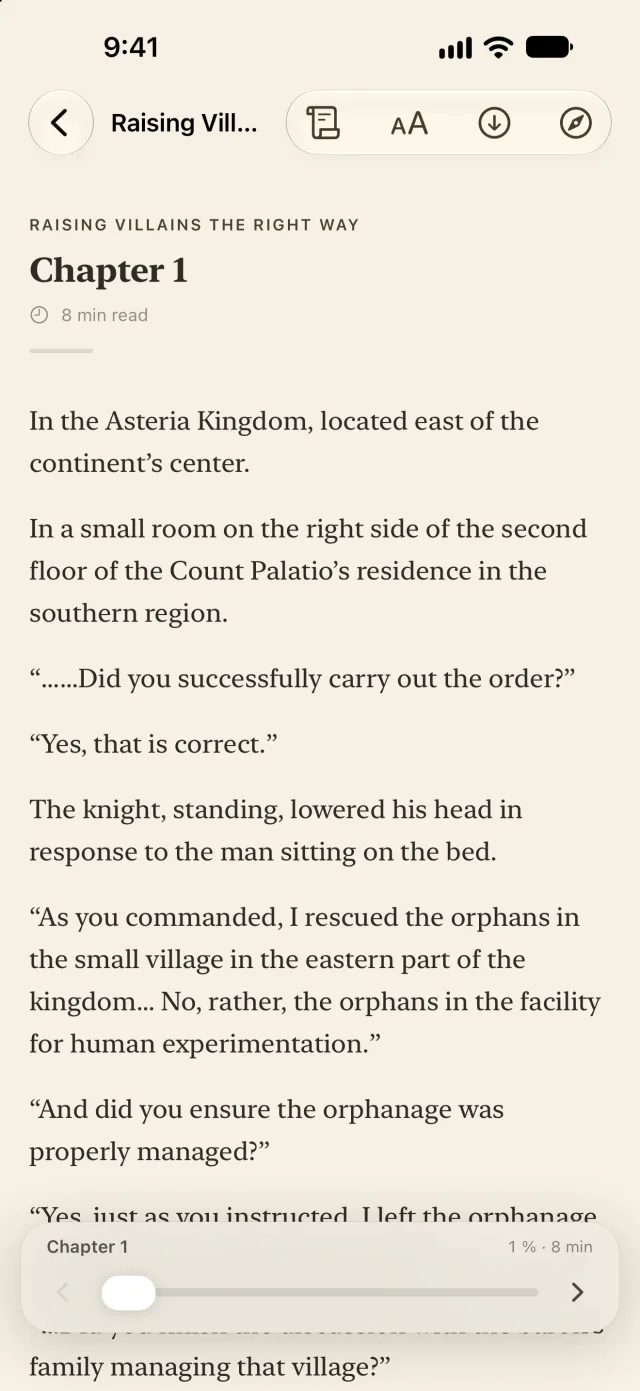

Quiet enough for long reading sessions.
A reader built around your own library, with the details that make long reading sessions comfortable.
No account
Open the app and start reading. There’s nothing to sign up for.
No ads or analytics
No banners, no trackers, no coins. Just your books.
Reads offline
Imported books and downloaded chapters work without a connection.
Backup and restore
Move your whole library to a new iPhone with one file.
iPhone and iPad
Portrait or landscape, on any screen size.
English and Spanish
The app follows your device language.
A library that stays organized
Covers, authors and unread chapters at a glance. Sort books into your own categories and switch between them with one tap.
- Six ways to sort: title, last read, latest chapter, unread, length or date added.
- Filters for unread, started, completed and downloaded books. Each one can include or exclude.
- Grid, compact grid or list, with the number of books per row you prefer.
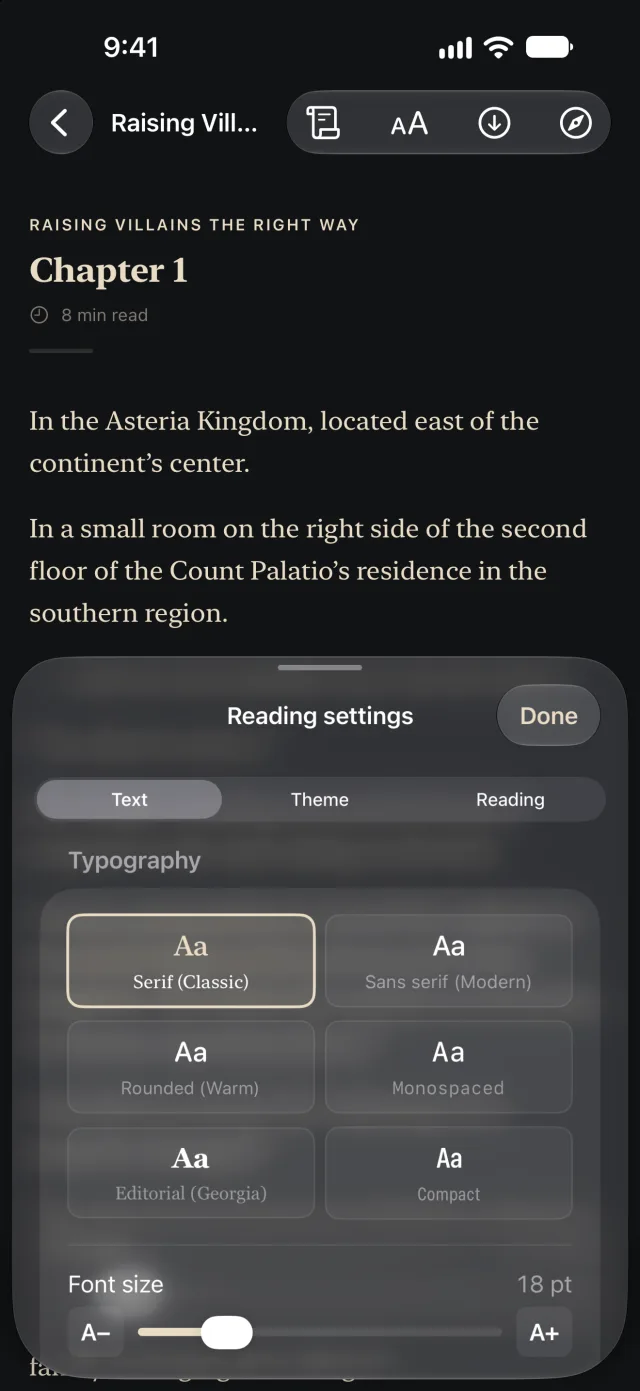
Read by day or by night.
Choose a color theme and a typeface, then adjust size, line spacing, paragraph spacing and margins. Scroll through a chapter or turn pages like a book.
- Five reading themes, including the app’s own paper and carbon, Cream and Sepia.
- Six typefaces, plus justified text and first-line indents for a printed-page look.
- Reading aids: a reading ruler, paragraph focus, a fixation guide and a night dimmer.
Every book on one page
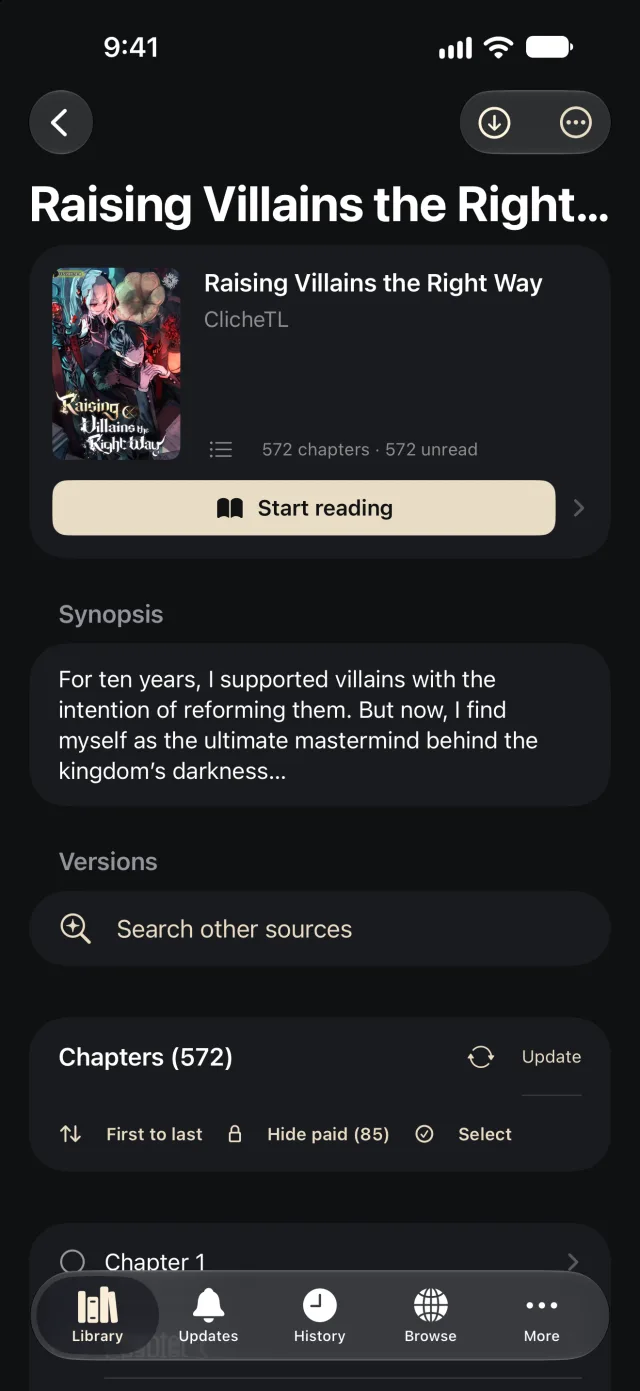
Open a book to see its synopsis, categories, how many chapters you’ve read and the time you’ve spent with it.
- Reading time per chapter, so you know how long the next one might take.
- Select several chapters to mark them as read or save them for offline reading.
- Bookmarks and personal notes stay with the book.
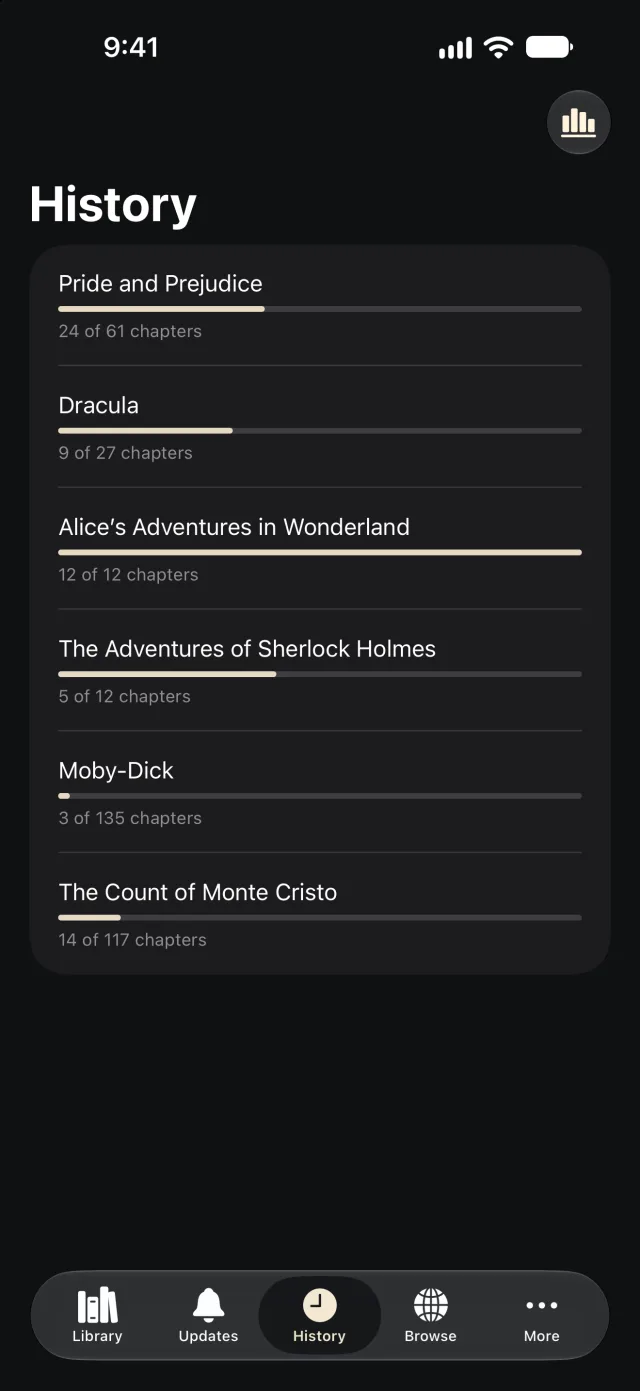
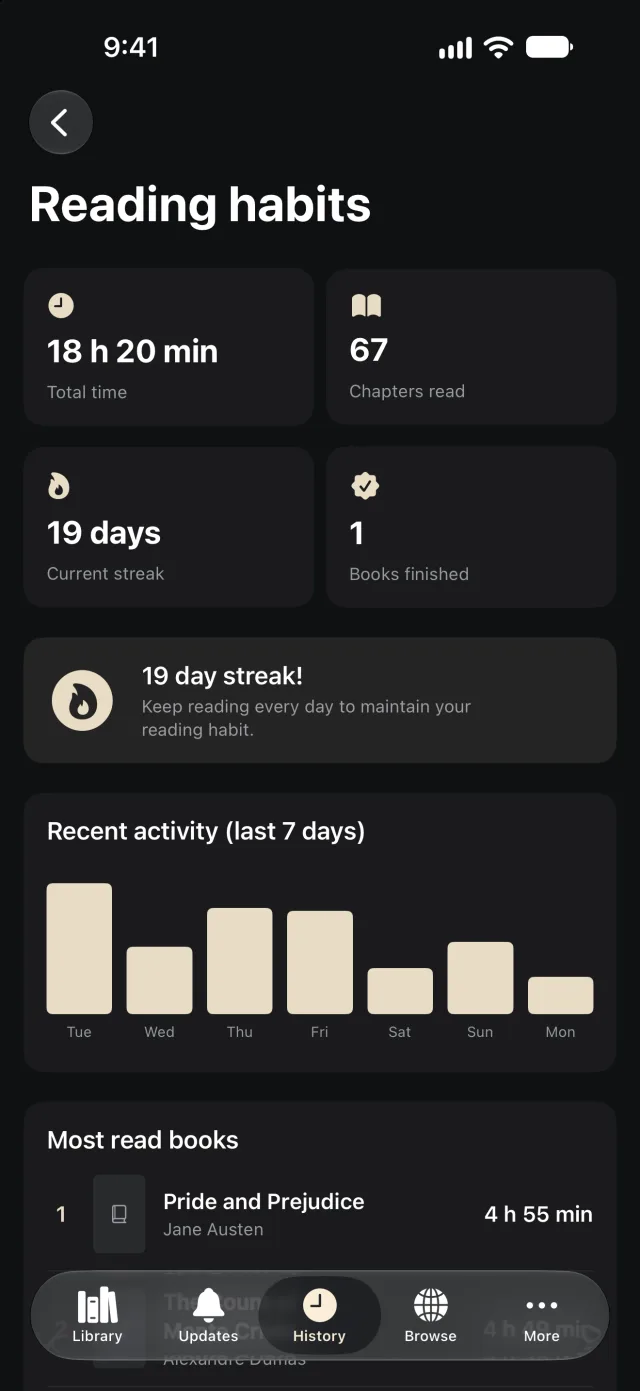
See how your reading adds up
History shows what you’ve been reading and how far along you are. Reading habits counts your total time, chapters read, finished books and daily streak.
Bring your own books
Unscrawled is a reader. It doesn’t come with a store, a catalog or any content of its own. There are two ways to fill your library.
Your EPUB files
Import DRM-free EPUBs from Files, Mail or Safari. Imported books live on your device and are always available offline.
Web novels
Add a compatible extension repository you trust. Unscrawled connects directly to the sites you choose, saves chapters for offline reading and lists new ones in Updates.
Only read content you have the right to access. Unscrawled isn’t affiliated with any website, extension or repository.
Private by default.
You don’t need an account, and the app has no advertising or analytics. Your library stays on your device unless you decide to export a backup.
Read the privacy policy →- On your device
- Books, reading progress, notes, categories and settings.
- In the Keychain
- Passwords you save for a website, encrypted by iOS.
- In your backups
- One file you can keep in Files or send to a new iPhone. Website sessions and passwords are left out.
Frequently asked questions
Everything you need to know before you start.
Which files can I open?
Unscrawled opens EPUB files without DRM. Books protected with DRM, like purchases from other bookstores, can’t be opened.
Does Unscrawled include books or novels?
No. You import your own EPUB files or add an extension repository you trust. Unscrawled doesn’t sell, host or recommend content.
Do I need an account?
No. There’s nothing to sign up for. Open the app and start reading.
Can I read without a connection?
Imported books are always available offline. For web novels, download chapters while you’re connected and read them anywhere.
How do I move my library to a new iPhone?
Go to More › Backup and restore and tap Create backup. Save it to Files or send it with AirDrop; on the new device, choose Restore from backup. Restoring replaces the library on that device.
Does it work on iPad?
Yes. Unscrawled runs on iPhone and iPad, in portrait and landscape.
Which languages does the app support?
English and Spanish. The app follows your device language, and you can pick a different one for Unscrawled in iOS Settings.
When will it be available?
Unscrawled is in final testing and will be on the App Store soon.

Coming soon to the App Store
Unscrawled is in final testing. Questions or feedback in the meantime? Write to [email protected].
Email us